How voice credits work for AI calls and texts
Understand how Swashi voice credits pay for AI calls and texts, how to buy more credits, what happens at a low balance, and how safe daily calls work.
- 1Open Voice Outreach. Click Voice Outreach in the sidebar to see your credit wallet.
- 2Check your balance. Read Available Credits, Credits Used, Calls This Month, Minutes Used and Texts This Month.
- 3Click Buy Credits. Click Buy Credits (or Top Up Now when your balance is low).
- 4Choose a voice pack. Pick a voice pack; bigger packs include bonus credits.
- 5Complete checkout. Pay through the secure Stripe checkout; the credits are added to your wallet.
Swashi voice works on a pay-as-you-go basis: AI calls and texts use voice credits, and you top up whenever you need more. Voice credits never expire, and bigger packs include bonus credits. This page explains what uses credits, how to buy more and how to keep your campaigns running.
Before you start
- You need a Swashi number to make calls or send texts. Activating a number includes a starter amount of voice credits. See Voice Outreach.
- For current prices, see the pricing page. The app also shows the price of each pack before you buy.
What uses credits
| Activity | How it is charged |
|---|---|
| Outbound campaign calls | Call minutes, from your voice credits |
| Manual test calls | Call minutes, from your voice credits |
| AI Receptionist calls | Call minutes, from your voice credits, within your plan's monthly call allowance |
| Texts | Per text of up to 160 characters, from your voice credits |
One credit equals one minute of calling, which is why the wallet also shows your available minutes.
Note:Your plan's receptionist call allowance (calls per month) and your voice credits (minutes) are two different things. The allowance caps how many inbound calls the receptionist takes each month; credits pay for the minutes. See AI Receptionist.
How texts are billed
The wallet shows the exact text rate on your account: either "each sent" or "each, sent or received", always for texts up to 160 characters and paid from your credits. A long message can use more than one text; the Texts inbox shows how many before you send. See Texting.
Check your balance
Open Voice Outreach. The wallet shows:
- Available Credits and Available Minutes
- Credits Used and Minutes Used
- Calls This Month and Texts This Month
Note:If you see "Counted from [date], when usage tracking started", usage before that date is not included in these figures.
Buy credits
Click Buy Credits in Voice Outreach. When the balance is low, you will also see Low Balance and a Top Up Now button.
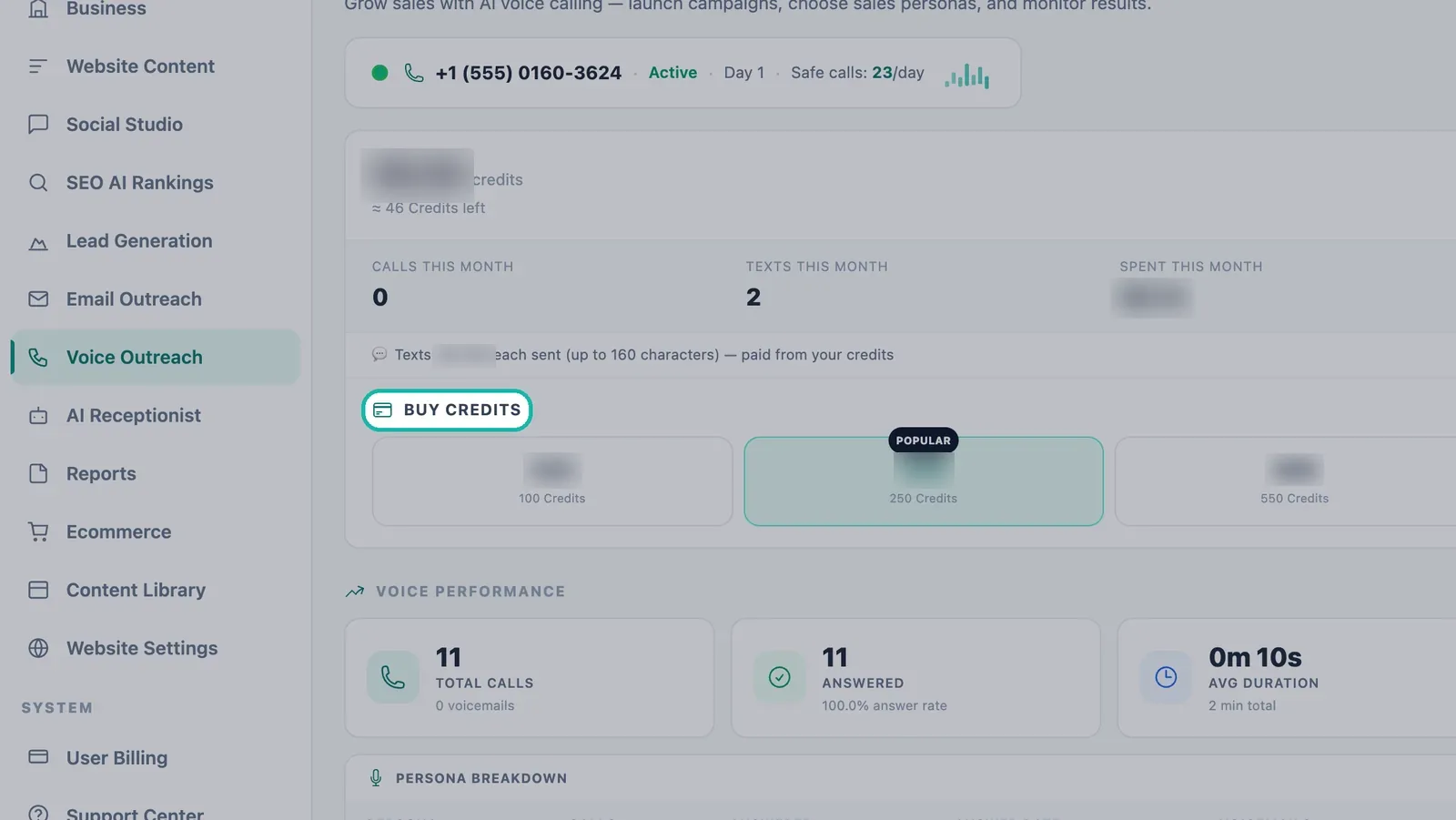
Top up from Buy Credits in Voice Outreach. Choose a voice pack: Starter Voice Pack, Growth Voice Pack (marked POPULAR), Scale Voice Pack or Max Voice Pack (marked Best value). Bigger packs include bonus credits.
Complete the secure Stripe checkout. Tax may be added.
You can also buy voice packs from Billing in the sidebar, under Voice AI Credits. See Plans and billing.
When credits run low or out
- Low Balance — top up soon so calls are not interrupted.
- NO CREDITS — Campaigns Paused — your voice campaigns stop until you add credits.
- Manual Test Call shows "You need at least … in your wallet to make calls" with your current balance if there is not enough to start a call.
- Texts fail with "Not enough voice credits — top up in Voice Outreach."
Tip:Check your balance before you start a new campaign, and size the campaign's Max leads to call and Daily Call Cap to the credits you have.
Safe calls per day
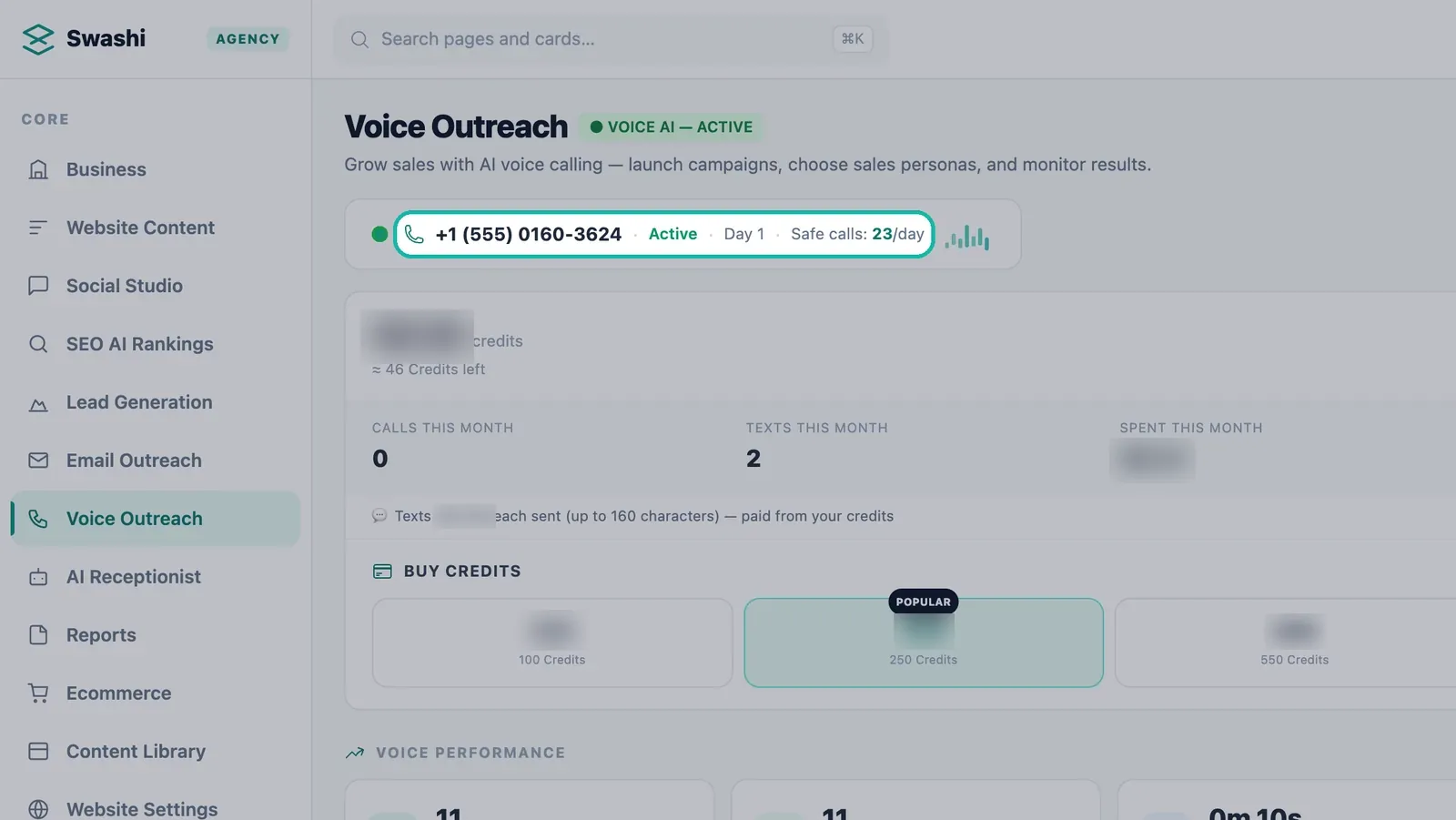
Credits are not the only limit on calling. Your Swashi number has a safe daily call limit, shown on the number card as Safe calls/day, with its status (Warming Up or Active) and the warm-up Day. Calls go out within this safe daily limit to protect your number, so a large credit balance does not mean more calls per day.
Plans and voice
| Plan | Voice access |
|---|---|
| Free | No voice |
| Starter | AI Receptionist call allowance; Voice AI ready (activate a number any time) |
| Growth, Agency, Enterprise | AI Receptionist plus Outbound AI Voice Campaigns, paid from your voice credits |
Starter trial accounts include 10 voice calls. Compare plan details on the pricing page.
Next steps
Frequently asked questions
What uses voice credits?+
AI calls and texts. Outbound campaign calls, test calls and AI Receptionist calls draw from your voice credits, measured by call minutes, and texts are charged per text of up to 160 characters.
Do voice credits expire?+
No. Voice credits never expire, so you only pay when you use them.
What happens when I run out of credits?+
Your campaigns pause and the wallet shows NO CREDITS — Campaigns Paused. Buy credits to resume calling.
Is the receptionist call allowance the same as credits?+
No. Your plan sets how many receptionist calls you can take each month, while the minutes of those calls are paid from your voice credits.
How much do credits cost?+
Prices are shown in the app when you buy credits and on the pricing page. Bigger packs include bonus credits.