Email deliverability and warm-up in Swashi
How Swashi warms up a new mailbox from 10 to 30 emails a day, sets daily caps, tracks delivery health and protects your sender reputation automatically.
Swashi protects your sender reputation by warming up every new mailbox automatically, pacing every send and lowering daily caps on its own if bounces rise. A newly connected mailbox starts at 10 emails a day, steps up to 30 a day, and counts as fully warmed from day 45. You don't need to manage any of this by hand, but knowing how it works helps you plan campaign volume.
Product: Lead Gen & Outreach Automation
Why warm-up matters
Email providers watch how a mailbox behaves. A sudden jump in volume from a mailbox, even one you have used for years, can send your emails to spam. Warm-up builds a steady, positive sending history so your emails keep reaching the inbox. Skipping warm-up risks your emails landing in spam.
The warm-up ramp
The ramp is per mailbox and starts on the day you connect it:
| Days since connecting | Stage shown in the app | Daily send limit |
|---|---|---|
| Days 0–13 | Warming · Stage 1 of 4 | 10 emails/day |
| Days 14–27 | Stage 2 of 4 | 20 emails/day |
| Days 28–34 | Stage 3 of 4 | 25 emails/day |
| Days 35–44 | Final stage | 30 emails/day |
| Day 45+ | Fully warmed | Up to the live health cap (normally 30/day) |
Each account card also shows its progress, for example "Day 12 of warmup · Safe: 10/day · 4 sent today".
Important:The ramp starts on the connection date even for an old mailbox. Don't try to work around it. If you need more volume, add mailboxes instead of pushing one mailbox harder.
Daily caps and pacing
Several limits work together, and the lowest one wins:
- The mailbox's safe limit. The warm-up stage or health cap above.
- Daily send cap. Each account shows its own Daily send cap.
- The campaign's Daily Cap. Set in the Schedule step of Email Studio.
- Your monthly quota. Monthly Outreach Quota shows emails used this month and when it resets.
Every send also waits a random 30–120 seconds after the previous one. Swashi never sends a burst.
With several mailboxes, Round-Robin rotation sends from each active account in turn (#1 → #2 → #3), so the load is spread. Pause any account to take it out of rotation without disconnecting it.
How much can I send?
A fully warmed mailbox safely sends about 300 cold emails a month (around 13 per sending day). Your plan's outreach volume follows from its number of mailboxes:
| Plan | Mailboxes | Outreach emails per month |
|---|---|---|
| Starter | 1 | 300 |
| Growth | 6 | 1,800 |
| Agency | 18 | 5,400 |
| Enterprise | 55 | 16,500 |
The Extra Inbox (+1 inbox, +300 sends a month) and Outreach Pack (+3 inboxes, +900 sends a month) add-ons add capacity. See current prices on the pricing page.
Automatic health protection
Swashi watches each mailbox's bounce rate and adjusts its cap automatically:
| Health tier | Bounce rate | Daily cap per mailbox |
|---|---|---|
| Normal | below 2% | 30 |
| Warning | 2% or more | 20 |
| Throttle | above 3% | 10 |
| Freeze | above 4% | 5 |
| Critical | above 6% | 0 |
Caps rise again as health recovers. Separately, the protection checklist states that a bounce rate above 5% auto-pauses the account. Review your list quality before you resume.
Before any email is sent, every address is validated in three layers: syntax, domain and a live mailbox check.
Delivery intelligence
Outreach Delivery Intelligence on the Email Outreach page tracks your sending live over a rolling seven-day window:
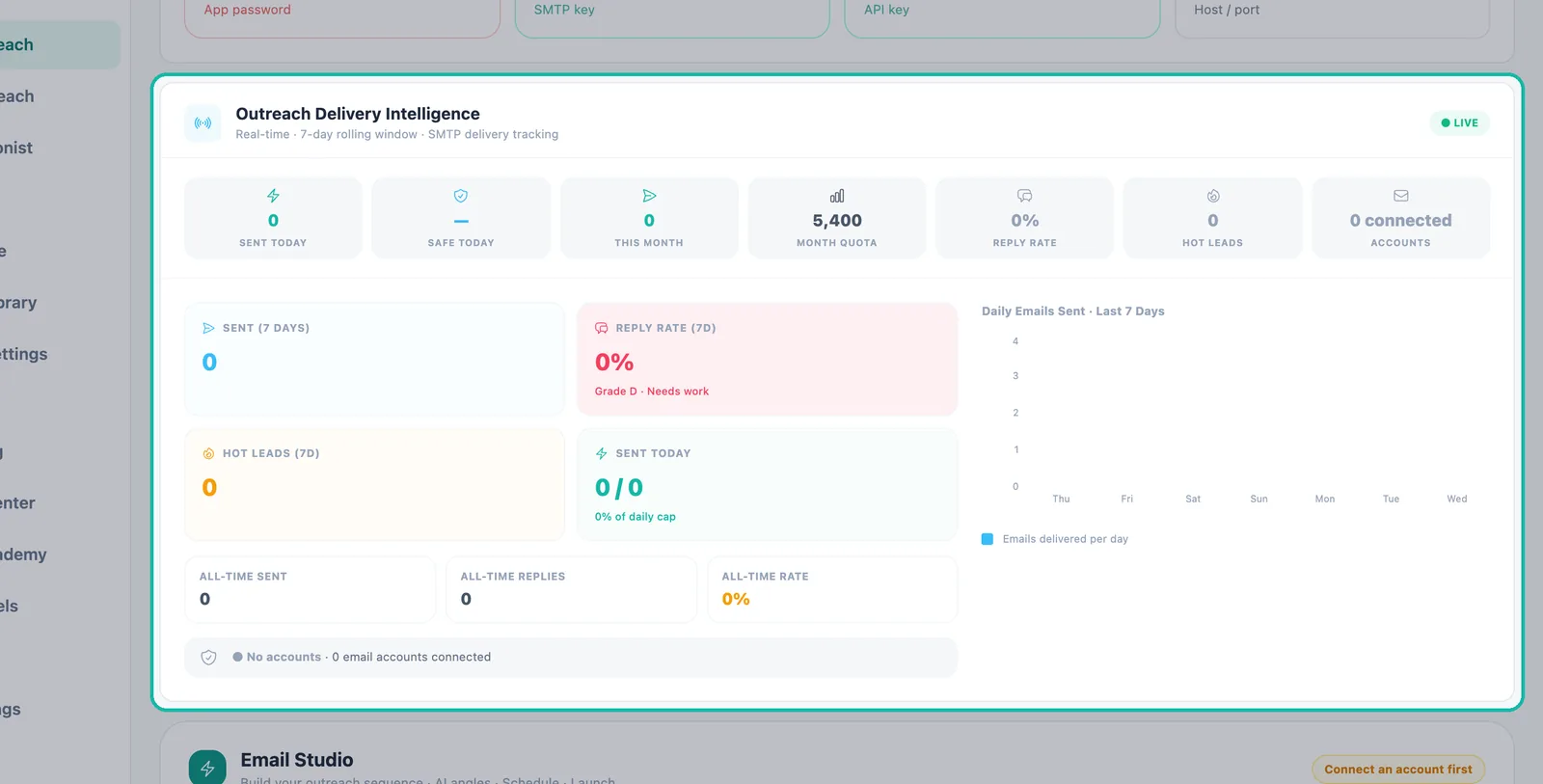
| Metric | What it shows |
|---|---|
| Sent Today / Safe Today | Emails sent today and the safe total for today across your accounts |
| This Month / Month Quota | Monthly usage against your plan |
| Sent (7 days) | Emails sent in the last seven days |
| Reply Rate (7d) and Grade | Replies as a share of sends, with a grade |
| Hot Leads (7d) | Hot leads from the last seven days, with a Respond now prompt |
| Accounts, Active, Warming Up, Daily Capacity | Your mailboxes and how much they can send |
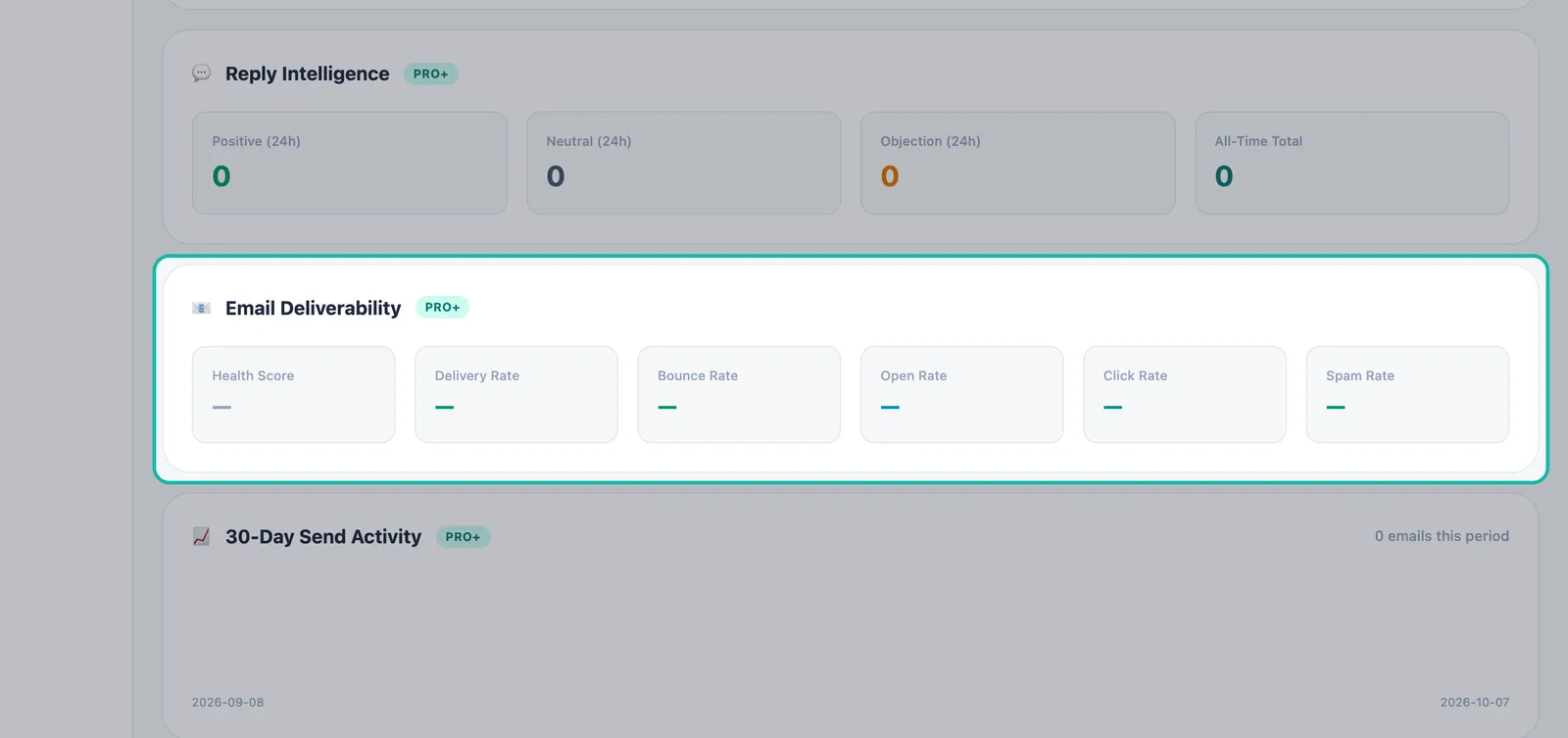
For longer-term health, open Reports → Email Deliverability: Health Score (0–100; green 80+, amber 60–79, red below 60), Delivery Rate, Bounce Rate, 7-day Open and Click Rates, and Spam Rate (red above 0.1%). See Reports.
Best practices
- Connect early. Warm-up counts from the connection date, so connect a mailbox before your campaign is ready.
- Target well. Start with Tier A, then Tier B. See ICP tiers.
- Keep content clean. Fix any "Spam trigger word detected" warning in Email Studio.
- Grow with mailboxes. Add mailboxes for more volume. Never try to make one mailbox send faster.
- Watch bounces. If the cap drops or an account pauses, check your lead list before resuming.
Next steps
Frequently asked questions
How long does email warm-up take in Swashi?+
The ramp runs from the day you connect the mailbox: 10 emails a day for days 0–13, 20 for days 14–27, 25 for days 28–34 and 30 for days 35–44. From day 45 the mailbox counts as fully warmed, up to its health cap, normally 30 a day.
Can I skip warm-up for an old mailbox?+
No. The ramp starts on the connection date even for an old mailbox, because email providers flag sudden changes in sending behavior.
Why did my daily limit go down?+
If a mailbox's bounce rate rises, Swashi automatically lowers its daily cap, starting from a 2% bounce rate, and raises it again as health recovers.
How do I send more emails per month?+
Add mailboxes rather than pushing one harder. A warmed mailbox safely sends about 300 cold emails a month. Higher plans include more mailboxes, and the Extra Inbox and Outreach Pack add-ons add more.
What does the Health Score in Reports mean?+
It is a 0–100 score for your sending health. 80 and above is green, 60–79 is amber and below 60 is red.