AEO and GEO: how to get found in answer engines and AI search
Learn what AEO and GEO are, then use Swashi's AEO tab for snippets and FAQ schema and the GEO tab to see which AI assistants mention your brand in answers.
- 1Open SEO AI Rankings. Click SEO AI Rankings in the sidebar and make sure Google Search Console is connected.
- 2Open the AEO tab. Review Featured Snippet Reach, People Also Ask questions and FAQ Schema Deployment.
- 3Fix missing FAQ schema. Check Structured data found for top pages without FAQ schema, then generate the markup with the AEO FAQ Schema Generator.
- 4Rewrite for answers. Use the AEO content optimizer to rewrite a section into an answer-first format.
- 5Open the GEO tab and ask like a buyer. Type a question your customers ask AI assistants and scan the AI models.
- 6Read the matrix and trend. See which AI models mention your brand, your visibility over time and your share of voice.
- 7Track your prompts. Save the questions that matter as Tracked Prompts so Swashi re-checks them every night.
Prefer to watch? This tutorial walks through the same steps in the live app. All tutorials →
AEO (answer engine optimization) helps your pages become the direct answer in search, such as a featured snippet or a People Also Ask box. GEO (generative engine optimization) is about whether AI assistants such as ChatGPT and Perplexity mention and cite your brand. In Swashi, both live in SEO AI Rankings: the AEO tab measures your answer-box chances from your own data, and the GEO tab checks real AI answers for your brand.
This guide is for businesses that want to be found where buyers now ask questions: in answer boxes and in AI assistants. It follows Parts 2 to 4 of the EP5 video tutorial, "How to Monitor SERP AI For AEO, GEO, SEO with Swashi."
Before you start
- Plan: AEO and GEO are included from the Growth plan. See plans and billing.
- Google Search Console: AEO needs it, because it measures the searches you already appear for. See connect Google Search Console.
- Your website added in SEO AI Rankings.
SEO, AEO and GEO at a glance
| Goal | Where you win | |
|---|---|---|
| SEO | Rank high in search results | Google's list of links |
| AEO | Be the direct answer | Featured snippets, People Also Ask, answer boxes |
| GEO | Be mentioned by AI assistants | Answers from ChatGPT, Perplexity and other AI engines |
The AEO tab
Every AEO number comes from your own Search Console data and your own pages. Nothing is estimated. Swashi uses three real measurements:
- Search Console supplies the queries you rank for. Pages at positions 2 to 8 are snippet-eligible, and question-shaped queries are your People Also Ask opportunities.
- Your own pages are fetched and their structured data (JSON-LD) is read to see which already carry FAQ schema.
- The optimizer and schema generator rewrite content into answer-box format when you ask.
Snippets, questions and FAQ schema
- Featured Snippet Reach: your pages near position zero. Swashi's advice: rewrite the intro with an H2 and a 60-word direct answer to capture the snippet.
- People Also Ask Coverage: question-shaped searches you already earn impressions for. Answer them directly to take the slot.
- FAQ Schema Deployment: of your top pages, how many already publish FAQ schema, for example "0/20."
- Answer Opportunities: question searches you appeared for in the last 28 days. Pages marked Snippet-ready are the closest wins; click Target → to work on one.
Structured data found
This card lists the schema types found across your highest-impression pages, and Top pages without FAQ schema. Structured data helps search engines and AI assistants understand your content.
AEO content optimizer
- Click Run Optimizer to rewrite a section into an answer-first format. The suggested rewrite appears below.
- In the AEO FAQ Schema Generator, enter a topic and click Generate AEO Schema. Swashi creates FAQ schema that is ready to be added to your page's
<head>.
Tip:If Swashi publishes your articles, switch on Schema Markup in Website Content so new articles carry structured data automatically.
The GEO tab
Ask like a buyer
Type the question your customers ask AI assistants into the query box, for example "Best AI agents for business," and click Analyze →.
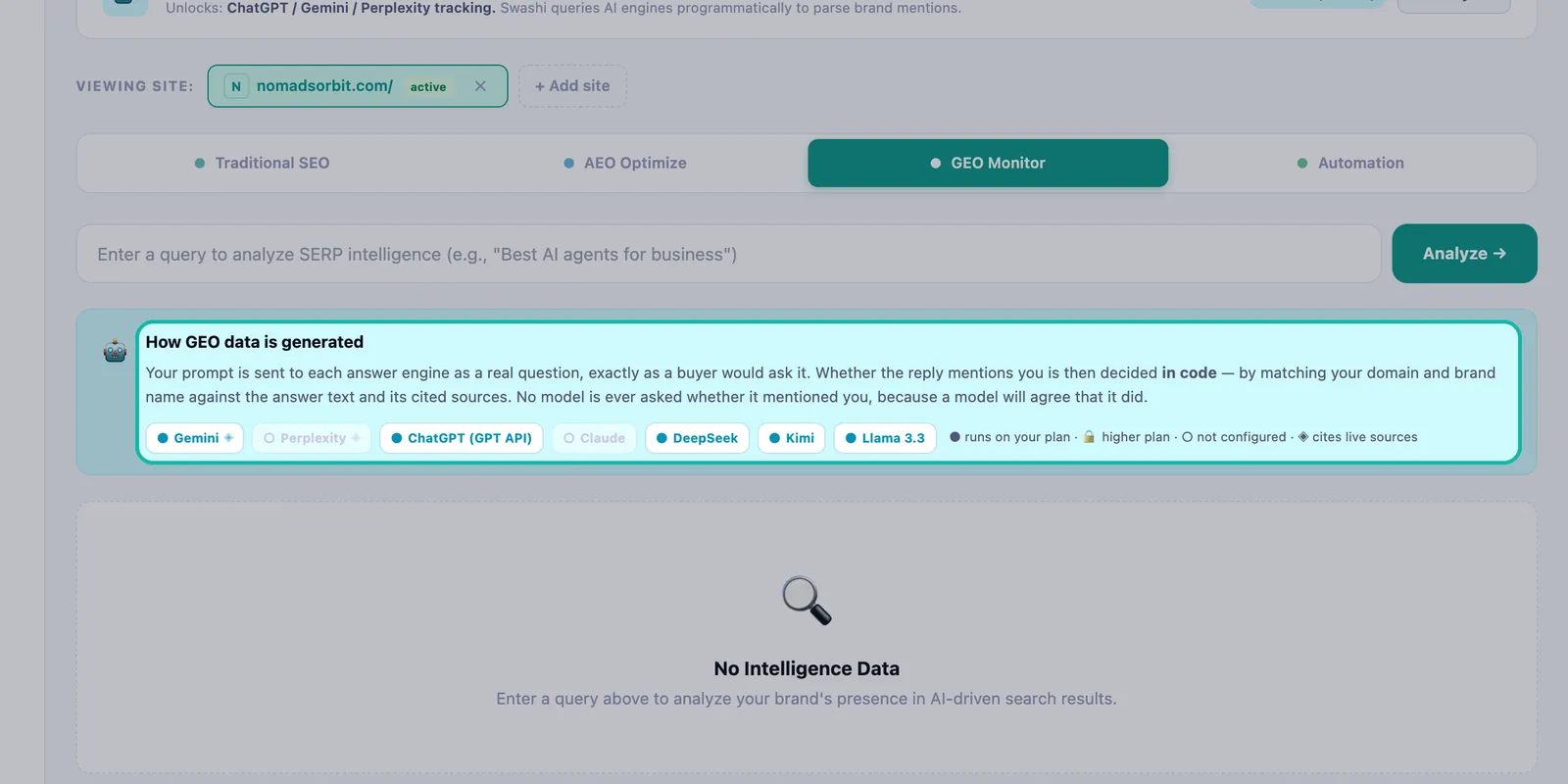
How GEO data is generated
Your prompt is sent to each answer engine as a real question, exactly as a buyer would ask it. Whether the reply mentions you is decided in code, by matching your domain and brand name against the answer text and its cited sources. No model is ever asked whether it mentioned you.
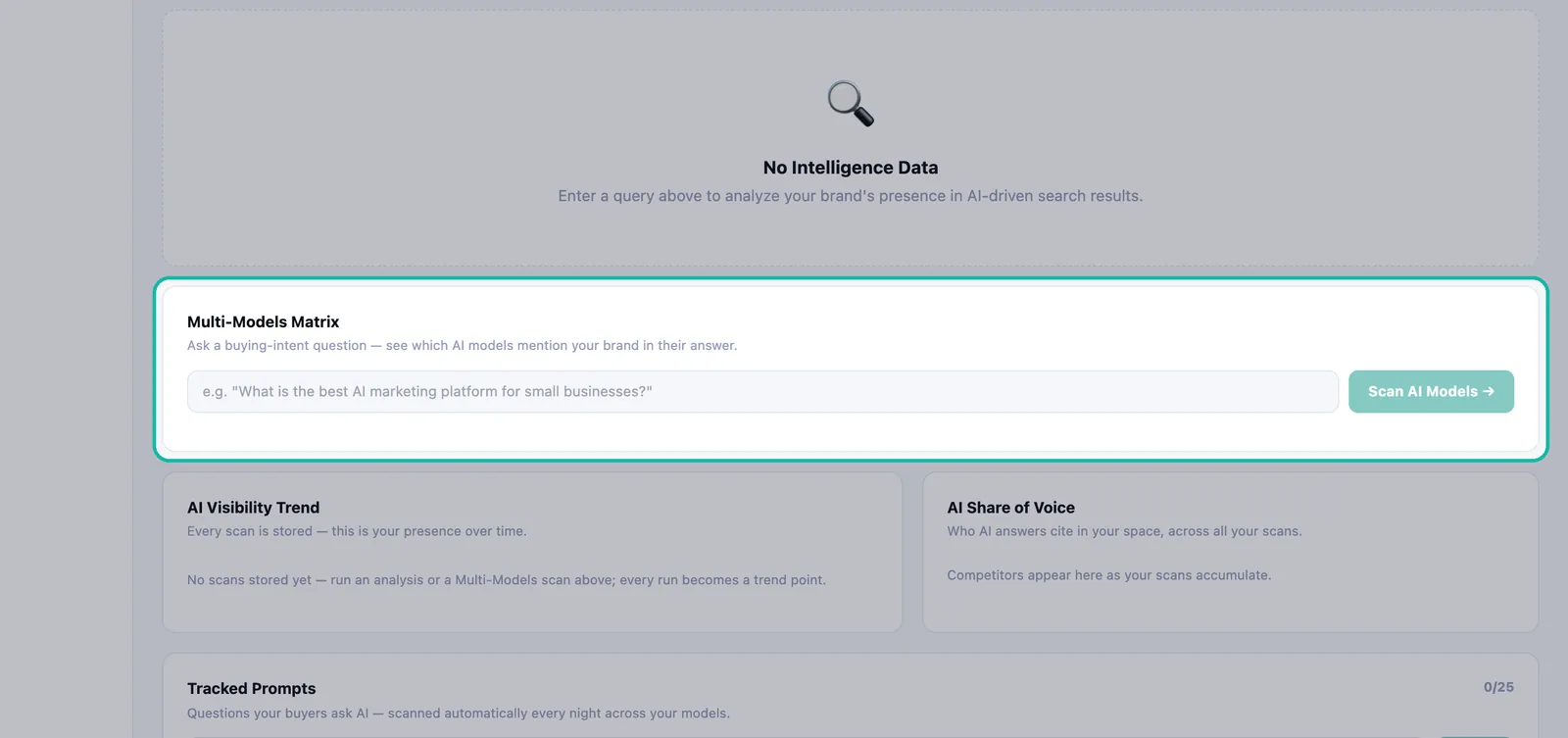
Multi-Models Matrix
Ask a buying-intent question and click Scan AI Models → to see which AI models mention your brand in their answer, side by side. Each model shows whether your brand was in the answer. Some models are marked as citing live web sources. Growth scans 3 models per query; Agency and Enterprise scan all of them.
AI Visibility Trend and Share of Voice
AI Visibility Trend: every scan is stored, so you can see your presence over time.
AI Share of Voice: who AI answers cite in your space across all your scans. Competitors appear here as your scans add up.
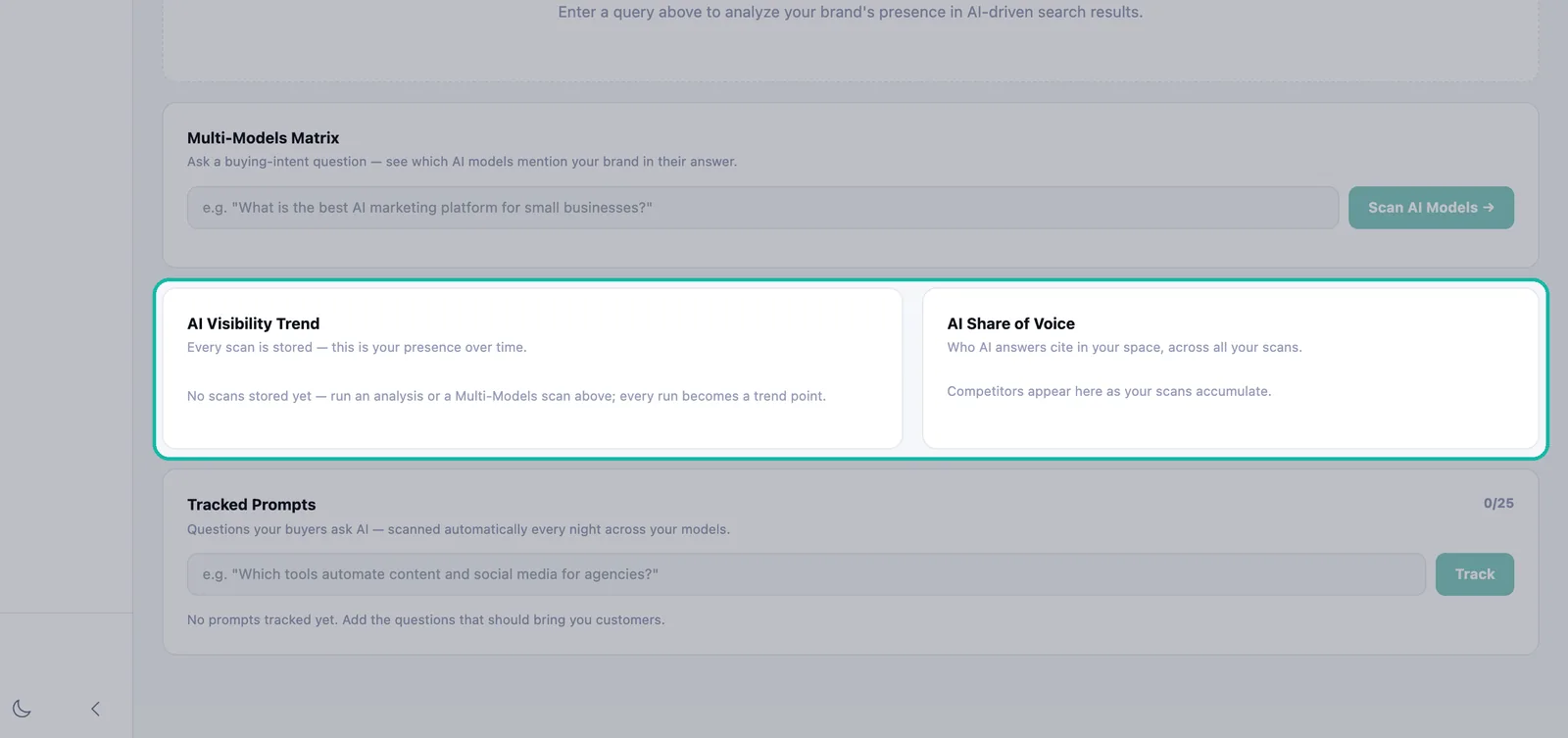
Every scan is stored, so trend and share of voice build over time.
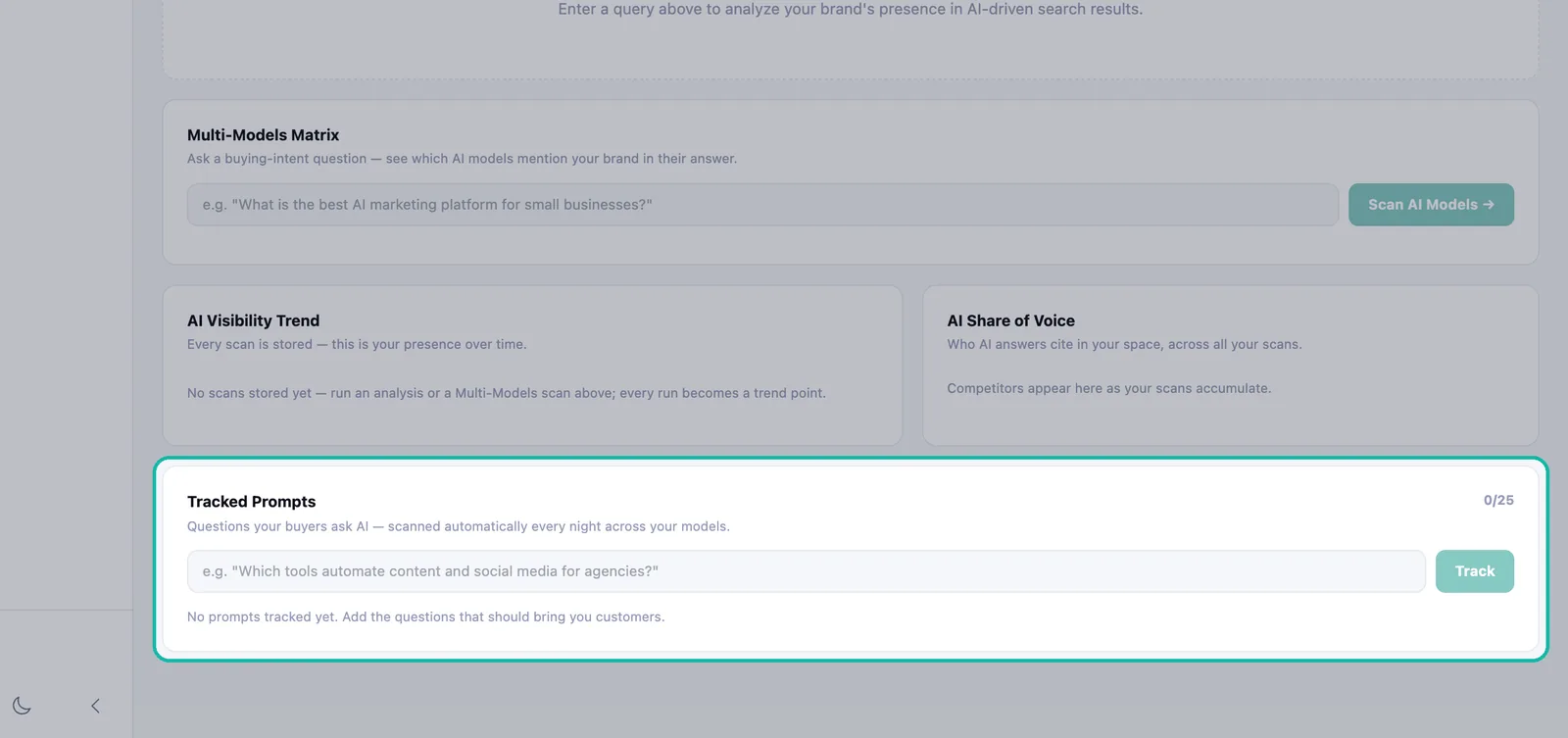
Tracked Prompts
Save the questions that should bring you customers. Type one and click Track. Swashi scans tracked prompts automatically every night across your models, and you can click Scan now at any time.
| Plan | Tracked prompts | AI models per query |
|---|---|---|
| Growth | 10 | 3 |
| Agency | 25 | All |
| Enterprise | 25 | All |
When you reach your limit, you see "Prompt limit reached for your plan."
The Automation tab
Background Jobs shows what runs and when: the AI visibility scan of tracked prompts runs nightly, the Search Console rankings refresh and the site health and Core Web Vitals audit run on view, and Google indexing submission runs on demand.
Weekly SEO Digest shows an example of a weekly summary of your SEO and AI visibility. It is a preview of the format; automated delivery is coming soon.
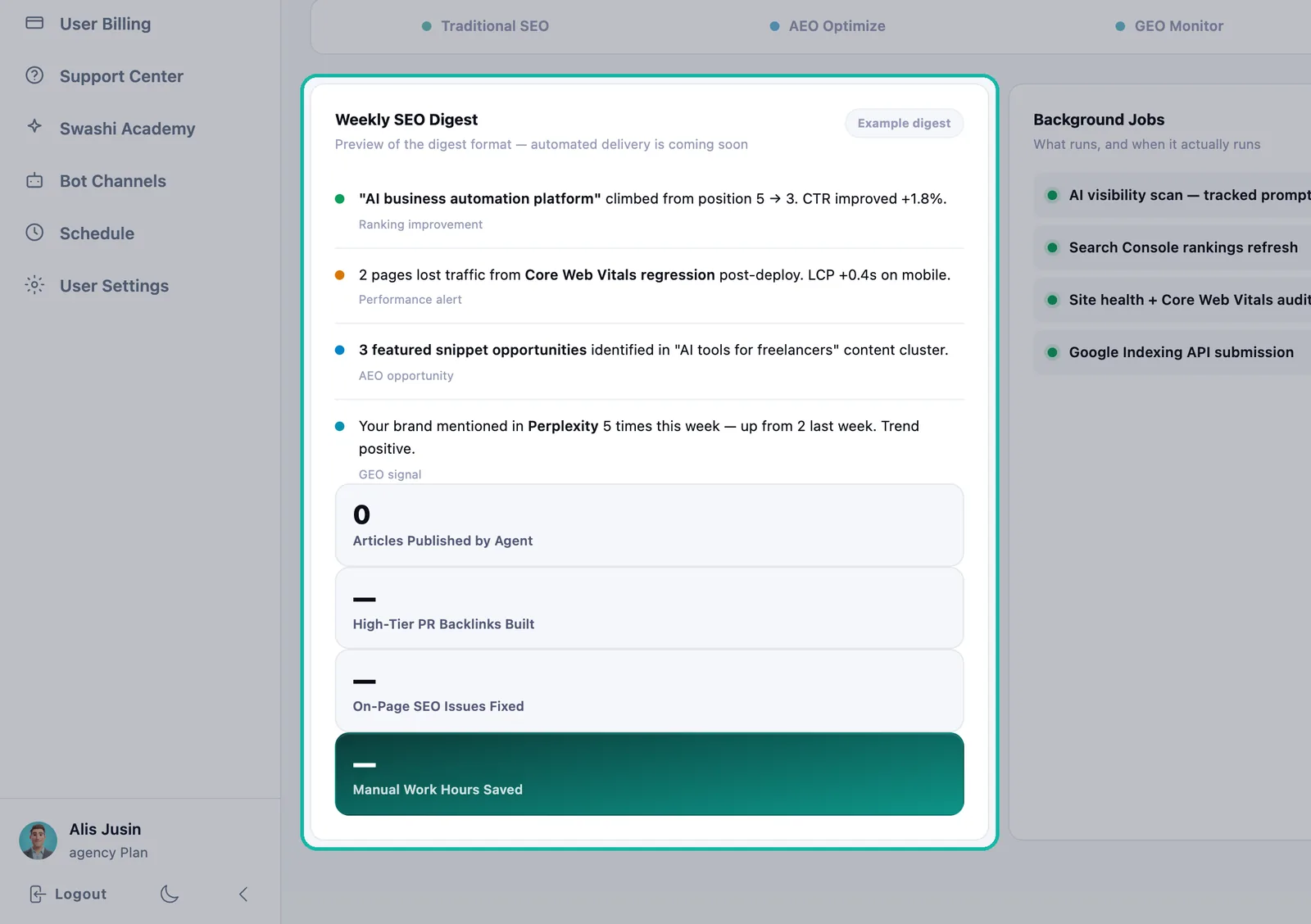
The Weekly SEO Digest preview shows the summary format.
Troubleshooting
- "Connect Google Search Console to measure your answer-engine coverage." Connect Search Console first.
- "No scans stored yet." Run an analysis or a Multi-Models scan. Every run becomes a trend point.
- A model shows "Not included on your plan." Your plan scans fewer models. Upgrade to scan them all.
Next steps
- Track your traditional SEO.
- Connect Google Search Console.
- Publish answer-ready articles automatically.
- See SERP AI on the Swashi website.
Frequently asked questions
What is the difference between SEO, AEO and GEO?+
SEO is about ranking in classic search results. AEO (answer engine optimization) is about being the direct answer, such as a featured snippet or People Also Ask box. GEO (generative engine optimization) is about being mentioned and cited by AI assistants such as ChatGPT and Perplexity.
Are the AEO numbers in Swashi estimates?+
No. AEO figures come from your own Search Console data and your own pages. Nothing on the AEO tab is estimated.
How does Swashi know whether an AI assistant mentioned my brand?+
Swashi sends your question to each AI engine as a real buyer would ask it, then checks the answer and its cited sources for your domain and brand name in code. No model is asked whether it mentioned you.
How many tracked prompts and AI models do I get?+
AEO and GEO are included from Growth. Growth scans 3 AI models per query and tracks up to 10 prompts; Agency and Enterprise scan all models and track up to 25 prompts.
How often are tracked prompts checked?+
Swashi re-checks your tracked prompts automatically every night. You can also click Scan now at any time.