Unsubscribe links, suppression and content safety in Swashi email
How Swashi adds an unsubscribe link to every email, keeps a suppression list of opt-outs, scans content for spam triggers and protects your reputation.
Every email Swashi sends for you includes an unsubscribe link, is checked against your suppression list and passes a spam and content safety check before it goes out. You don't switch these protections on; they run on every campaign by default. This page explains what each one does, so you know what happens when a recipient opts out.
Product: Lead Gen & Outreach Automation
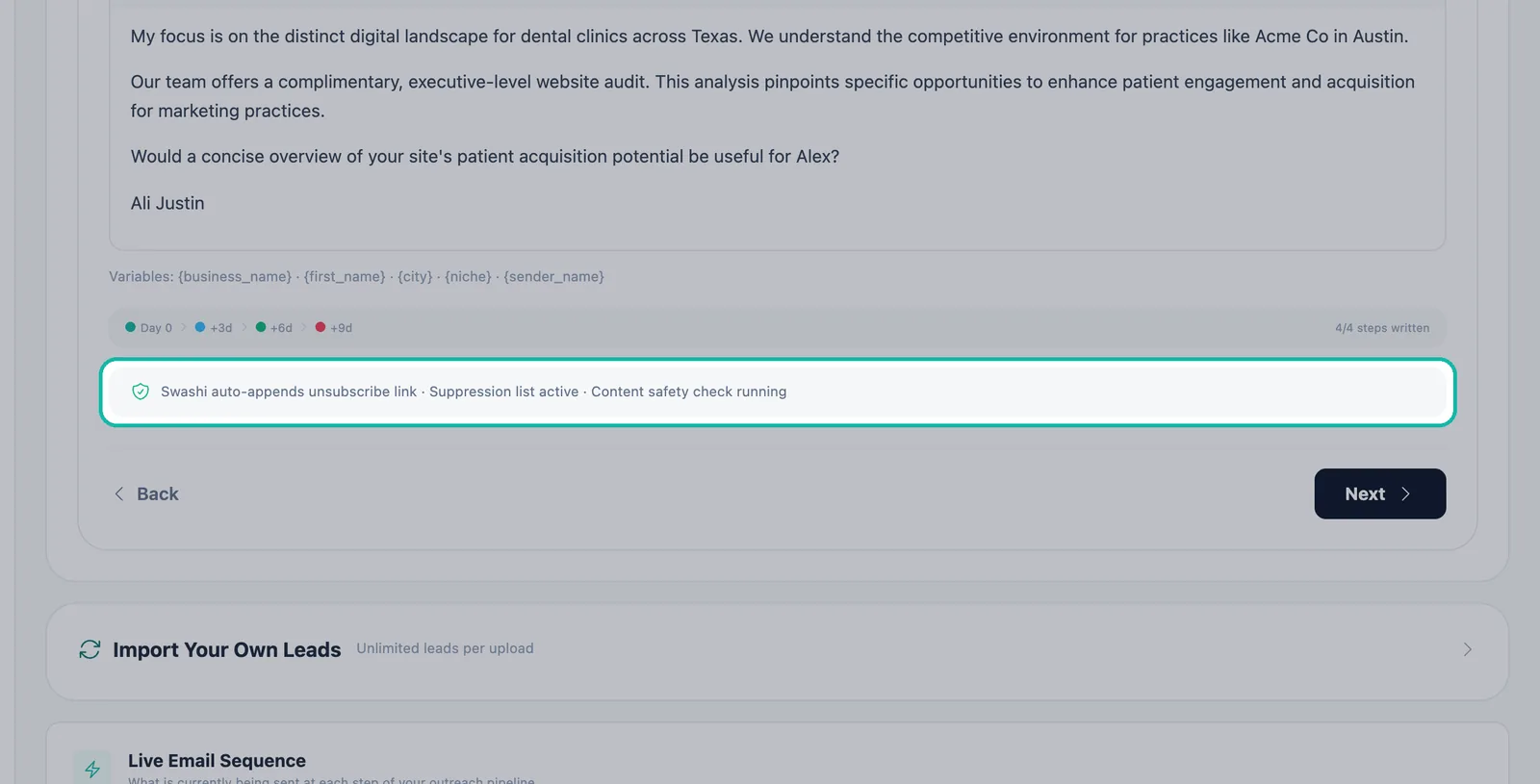
In Email Studio, every email shows the line: "Swashi auto-appends unsubscribe link · Suppression list active · Content safety check running."
Before you start
These protections are built into Email Studio and the Outreach Agent. There is nothing to configure. They are product safeguards, not legal advice: you remain responsible for the email rules that apply to your business and your recipients.
Unsubscribe link
- Swashi automatically appends an unsubscribe link to every campaign email. You don't need to add one to your copy.
- Every send also carries List-Unsubscribe headers, so supporting email apps can offer one-click unsubscribe.
- When a recipient unsubscribes, their address is added to your suppression list.
Suppression list
Your suppression list is the set of addresses Swashi will not email.
- Checked before every send. The protection checklist reads "Suppression list checked before every send".
- Opt-outs are permanent. Contacts who opted out are never emailed again.
- Only real evidence suppresses an address. Explicit unsubscribes and mailbox-level evidence, such as a hard bounce, put an address on the list. Swashi never blocks a sendable address because of a domain statistic alone.
Address validation
Before an email is sent, the address passes three layers of validation: syntax, domain and a live mailbox check. This keeps bounces down and protects your mailbox's reputation.
Spam trigger scan
Swashi scans your email content for spam trigger words before sending. In the Message step of Email Studio, you may see:
"Spam trigger word detected. Remove it to improve deliverability."
Edit the wording and continue. The checklist shows "Spam trigger scan passed" when the content is clean.
Content safety check
Every email is checked for content that is not allowed: illegal content, scam language or misleading claims. The checklist shows "Content safety check passed" when an email clears it.
Tip:Write about what your business really offers. Keep your offers and facts up to date in your Business Brain so the AI writes from accurate information.
Contact limits that protect recipients
| Protection | What it does |
|---|---|
| 72-hour cooldown | A lead cannot receive another email within 72 hours of the last one. This cannot be overridden. |
| Stop on reply | A reply or a booked meeting stops the rest of the sequence for that person. |
| Bounce auto-pause | A bounce rate above 5% auto-pauses the account. Daily caps are lowered automatically from 2%. |
| No raw merge tokens | No email ever ships with an unfilled {token}. |
The protection checklist
Before you click Automate, the final step of Email Studio lists every protection:
- Suppression list checked before every send
- Unsubscribe link auto-appended to all emails
- 72-hour cooldown between emails to same lead
- Bounce rate > 5% auto-pauses the account
- Spam trigger scan passed
- Content safety check passed
Replies that say "not interested"
Swashi's AI labels replies by intent, and Not Interested covers explicit opt-outs and rejections. Any reply stops the sequence for that lead. Review these replies in the Unified Inbox.
Next steps
Frequently asked questions
Do I need to add an unsubscribe link myself?+
No. Swashi automatically appends an unsubscribe link to every campaign email, and every send carries List-Unsubscribe headers for one-click unsubscribe.
What happens when someone unsubscribes?+
The address goes on your suppression list. Contacts who opted out are never emailed again, and the suppression list is checked before every send.
Will Swashi block an address just because its domain looks risky?+
No. Only explicit unsubscribes and mailbox-level evidence, such as a hard bounce, suppress an address. A domain statistic alone never does.
Can I turn off the 72-hour cooldown?+
No. A lead never receives another email within 72 hours of the last one, and this setting cannot be overridden.
Is Swashi's checklist legal advice?+
No. These protections are built into the product to support responsible sending. You remain responsible for following the email rules that apply to your business and recipients.