How to set writer personas and style with Creative Director
Use Creative Director in Swashi to rewrite a YouTube or news link, choose a writer persona like The Professor or The Storyteller, and add a system prompt.
- 1Open Website Content. Click Website Content in the sidebar and scroll to the Creative Director panel.
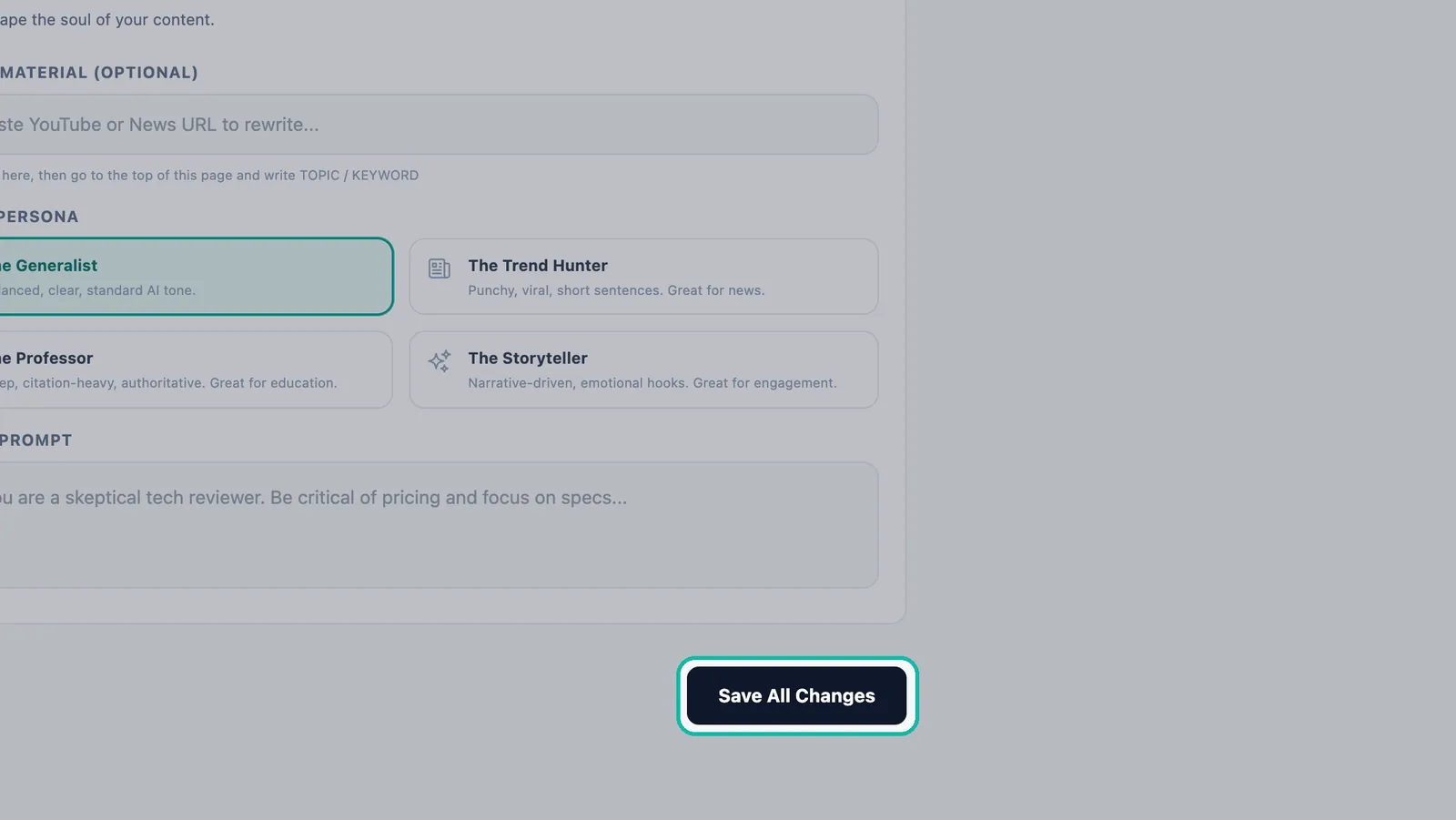
- 2Add source material (optional). Paste a YouTube or news URL into Source Material, then enter your topic in TOPIC / KEYWORD at the top of the page.
- 3Choose a writer persona. Pick The Generalist, The Trend Hunter, The Professor or The Storyteller.
- 4Add your own instructions. Write what the writer should focus on in the System Prompt box.
- 5Save. Click Save All Changes so your settings apply to every article from now on.
Prefer to watch? This tutorial walks through the same steps in the live app. All tutorials →
Creative Director is the part of Website Content where you shape how Swashi writes for you. You can paste a YouTube or news link for Swashi to rewrite into an original article, choose one of four writer personas, and add a system prompt with your own instructions. Click Save All Changes and your settings apply to every article from then on.
This guide is for anyone who wants their automated articles to sound a particular way: newsy and quick, deep and authoritative, or warm and story-led. It follows Part 2 of the EP4 video tutorial, "How to Automate Website Content for SEO, AEO, GEO on Swashi."
Before you start
- Plan: Creative Director Mode is included from the Growth plan up. See plans and billing for details.
- Set up content first. Creative Director shapes the articles you plan in Website Content. Connect a site and add a topic before you fine-tune the style.
- Teach your Business Brain. Your Business Brain gives the writer your brand voice and facts. The persona and prompt then decide the style.
Open Creative Director
- Click Website Content in the sidebar.
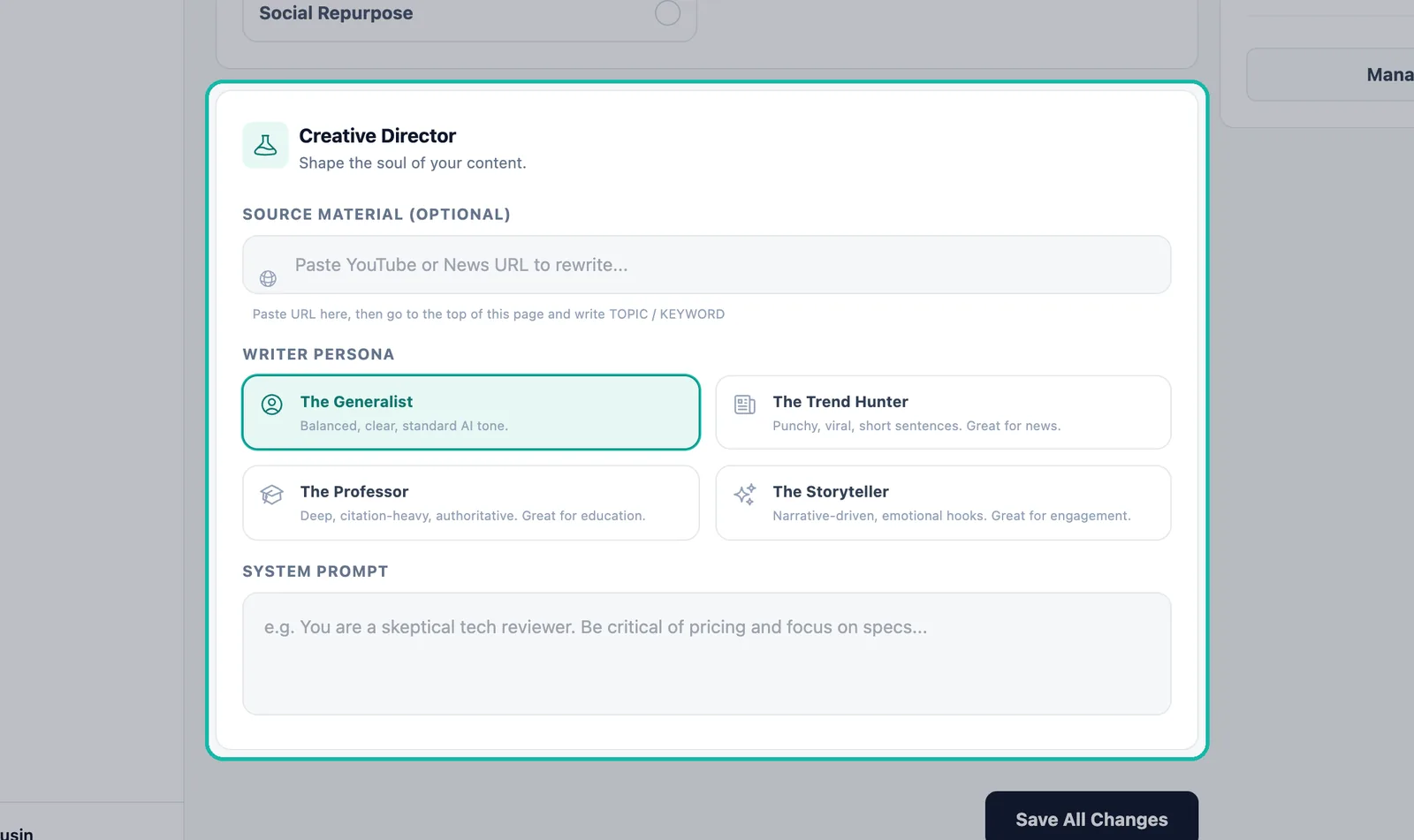
- Scroll past the queue and optimization switches to the Creative Director panel. Its subtitle is "Shape the soul of your content."
The panel has three parts: Source Material (Optional), Writer Persona and System Prompt.
Start from a source (optional)
Do you have a video or a news story you want to write about? Use it as the starting point.
Paste the link into the box labeled Paste YouTube or News URL to rewrite...
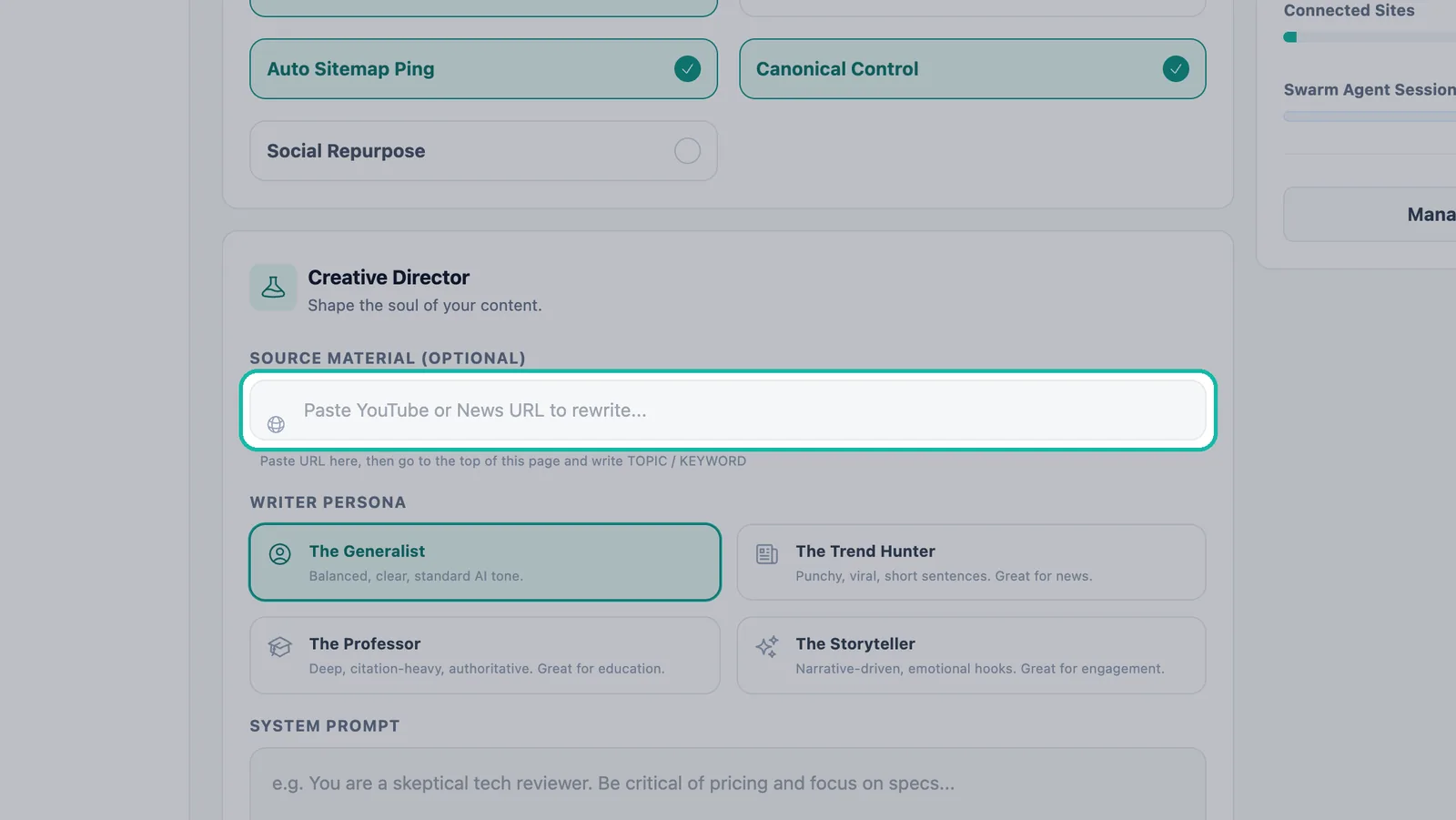
Paste a YouTube or news link to rewrite. Go to the top of the page and type your TOPIC / KEYWORD, as the hint in the panel says.
Add the topic to your queue as usual.
Swashi rewrites the source into an original article built around your keyword. It does not copy the source.
Tip:Source links work well for reacting to news in your industry. For a ready-made feed of current stories, see Trending Articles and Autodraft.
Choose a writer persona
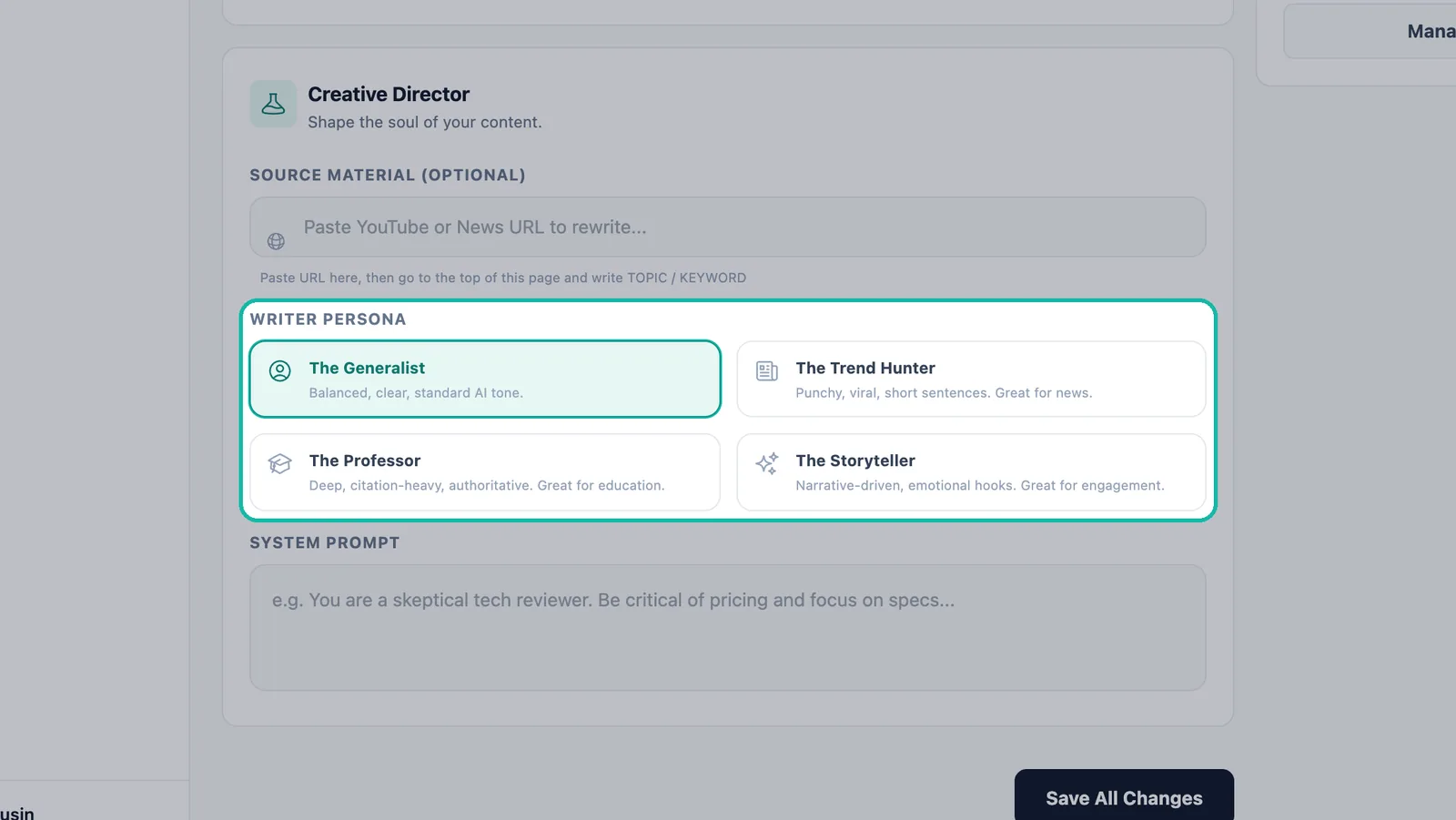
Pick the style that fits your audience. The persona applies to every article until you change it.
| Persona | Style | Good for |
|---|---|---|
| The Generalist | Balanced, clear, standard tone | Most business blogs |
| The Trend Hunter | Punchy, viral, short sentences | News and timely topics |
| The Professor | Deep, citation-heavy, authoritative | Education and in-depth guides |
| The Storyteller | Narrative-driven, emotional hooks | Engagement and brand stories |
Note:A persona sets the style of the writing. Your Business Brain still supplies the substance: your products, offers, tone and facts, on every site where Business Brain is switched on.
Add your own instructions (System Prompt)
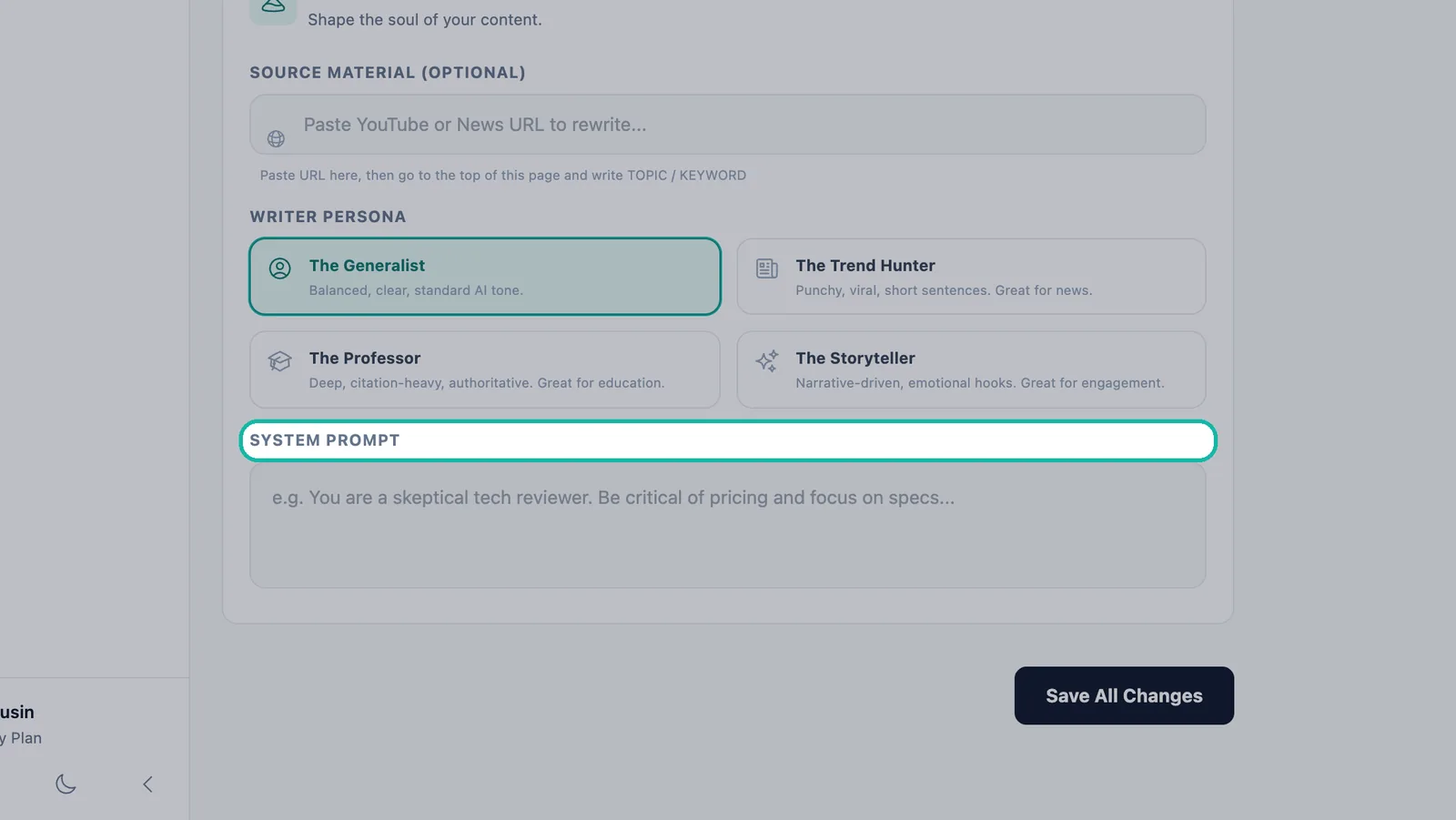
The System Prompt box lets you tell the writer exactly what to focus on, in your own words. The app suggests an example: "You are a skeptical tech reviewer. Be critical of pricing and focus on specs..."
Good instructions are short and specific. For example:
- Who the reader is ("owners of small dental practices").
- What to emphasize ("practical steps, not theory").
- What to avoid ("no jargon; never mention competitors by name").
- The call to action you want ("invite readers to book a consultation").
Note:Custom system prompts are part of Creative Director Mode. On a plan without it, the box reads "Upgrade to Pro to unlock custom system prompts..." and an Unlock Director Mode button appears.
Save your settings
Click Save All Changes. Your source, persona and instructions now apply to every article Swashi writes from then on. Articles already published are not rewritten.
Prompt Personas and your plan
The Plan & Usage panel on the Website Content page shows Prompt Personas, the number of custom writing profiles your plan allows.
| Plan | Prompt Personas |
|---|---|
| Free | 1 |
| Starter | 3 |
| Growth | 25 |
| Agency | Unlimited |
| Enterprise | Unlimited |
Troubleshooting
- My articles don't sound different: check that you clicked Save All Changes after choosing a persona or editing the prompt.
- Articles mention the wrong business: on a website that belongs to another company, switch Uses your Business Brain off in Website Settings. See connect your website.
- The System Prompt box is locked: custom system prompts need Creative Director Mode, included from Growth.
Next steps
- Plan and queue your articles.
- Teach your Business Brain your brand voice.
- Explore content automation on the Swashi website.
Frequently asked questions
What is Creative Director in Swashi?+
Creative Director is the panel on the Website Content page where you shape the voice of your articles. You can start from a source link, choose a writer persona and give the writer your own instructions.
Can Swashi turn a YouTube video or news story into an article?+
Yes. Paste the YouTube or news URL into Source Material and Swashi rewrites it into an original article around the topic you enter.
Which writer persona should I choose?+
The Generalist suits most sites, The Trend Hunter suits news, The Professor suits education and in-depth guides, and The Storyteller suits content built for engagement.
Which plans include Creative Director Mode and custom system prompts?+
Creative Director Mode is included from the Growth plan up. On lower plans the System Prompt box shows an upgrade message.
How does the persona work with my Business Brain?+
The persona sets the writing style. Your Business Brain supplies your brand voice, products and facts on sites where it is switched on, so both shape every article.