Facebook Automation

Run your Page on autopilot.

Swashi Agents fill your week with scheduled posts, reply to every Messenger DM instantly, and keep your community warm — so your Page grows while you run the business.

No credit card · Auto-schedules · Auto-replies

Swashi managing this Page
FB
Your Brand
Business Page · 41,280 people reached this week
This week — auto-scheduled
Mon
Tip
Tue
Reel
Wed
—
Thu
—
Fri
—
Sat
—
Sun
—
Swashi is filling your calendar…
Messenger — auto-reply
Hi! Do you ship internationally? 🌍

↑ A full week of posts + instant DM replies — handled by Swashi. You just approve.

A social team, minus the payroll.

Everything a Facebook manager does — done automatically, around the clock.

Always posting

A week of on-brand posts scheduled and published for you, at the times your audience is online.

Instant replies

Every Messenger DM answered in seconds — questions, prices, links — so no lead goes cold.

Community warm

Offers, polls, and recaps that keep followers engaged and coming back to your Page.

19 languages · every market

One Page team. Every country.

Swashi centralizes 19 languages, so you can run a native Facebook presence in each market — posts and replies localized automatically. Every language is a new go-to-market channel, opened without hiring a soul.

EnglishEspañolFrançaisDeutschItalianoPortuguêsNederlandsРусскийTürkçeالعربيةעבריתहिन्दी中文日本語한국어ไทยTiếng ViệtBahasa IndonesiaBahasa Melayu
See it in the real app

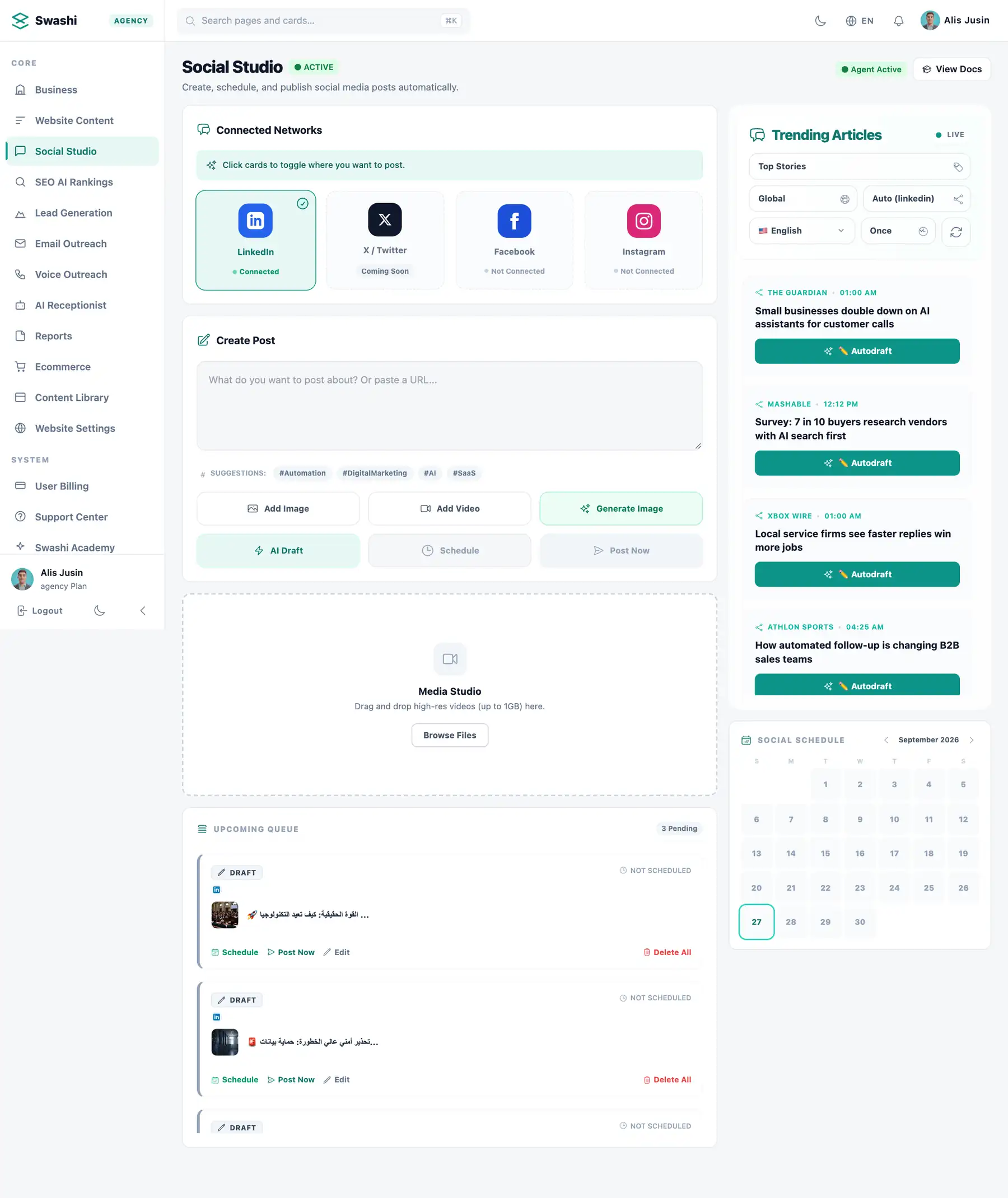
Facebook posting, inside Social Studio.

Connect your Page, let AI draft the post, and keep your schedule full.

app.swashi.io
Connect your Facebook Page
1Connect your Facebook Page
app.swashi.io
AI drafts the post and the image
2AI drafts the post and the image
app.swashi.io
Your posting calendar
3Your posting calendar
Try it yourself

Walk through Social Studio

Real Swashi screens, click by click, in your language.

Walk through Social Studio

Real Swashi screens, click by click, in your language.

Interactive · Real app
120+
interactive steps · 19 languages
Real appEvery screen is the real Swashi app. Click the pulsing dot or use the arrow keys.

How to run a Facebook Business Page on autopilot with AI

Swashi's Facebook automation fills your Page's calendar with scheduled posts, from tips and offers to polls and weekly recaps, and answers common Messenger questions such as hours, pricing, links and shipping. Your community stays active and customers get quick replies while you run the business.

  • A varied week of Page posts planned and scheduled
  • Tips, offers, polls and recaps written from your Business Brain
  • Common Messenger questions answered from your facts
  • Creator cards with your real photo on paid plans
  • Approve posts from the dashboard or a chat app
  • Many Pages managed from one dashboard

A steady posting rhythm for your Page

Facebook Pages work best for local businesses and online stores when they post a varied mix through the week: a helpful tip, a product or service highlight, an offer, a poll to invite comments and a recap. Swashi plans that mix for you, writes each post from your Business Brain and schedules it for times your followers are likely to be online. You can approve the week's posts in one sitting, or let routine posts publish automatically.

Faster answers in Messenger

Many customers message a Page before they buy, and a slow reply often means a lost sale. Swashi can answer the common questions people send through Messenger, such as your opening hours, prices, delivery details or a link to your shop, using the facts in your Business Brain. Questions that need a person are left for you. Keeping your Brain up to date is what keeps these answers accurate, so update it whenever your prices or policies change.

Keeping the community engaged

Facebook's strength is community. Polls, questions and recap posts encourage followers to comment, which keeps your Page visible in their feeds. Swashi includes these engagement formats in your schedule, alongside on-brand images; on paid plans, creator cards can feature your real photo, name and handle. Businesses with several locations or brands can manage many Pages from one dashboard, each with its own schedule, voice and language, and approvals can be given from WhatsApp, Telegram or LINE.

Getting set up

Connect your Facebook Page to Swashi once, then make sure your Business Brain covers the details customers ask about most: hours, prices, delivery or booking options and your main links. Upload your logo and brand images so posts look consistent. Choose which posts need approval and how often you want to publish. After a few weeks, look at which post types draw comments and messages, and ask Swashi for more of those, keeping your Page useful rather than just busy.

See it run your Page.

A month of posts scheduled and DMs answered — completely hands-free.

Automate social media with Swashi

Schedule a month of Facebook posts and auto-reply to Messenger — all on autopilot.

4.9/5 from 128 Page owners

Page owners recommend Swashi.

G
Grace Osei
recommends Swashi

My Page posts every day and answers DMs in seconds. Sales messages doubled and I do nothing.

Boutique owner👍❤️😮 218
H
Hassan Ali
recommends Swashi

Swashi replies to reservation questions instantly in two languages. It's like having a full-time community manager.

Restaurant group👍❤️😮 176
E
Emma Clarke
recommends Swashi

Scheduled posts, polls, and offers — all on brand, all automatic. My reach tripled in two months.

Fitness studio👍❤️😮 241

Questions, answered

More Swashi Agents to grow with

Every Agent compounds the others — one platform, one subscription.

Never miss a post — or a message — again.

Let Swashi Agents schedule your posts and answer your DMs — starting free today.

No credit card · Cancel anytime · Post everywhere