
AI Virtual Office

Walk into an office where the work is already done.

Every time you open Swashi, your AI Virtual Office shows what your AI employees did, who needs you, which leads are showing buying signals and what's scheduled next. One screen. One click to act.

Callbacks and replies, rankedSeven AI employees at a glanceEvidence behind every lead
app.swashi.io · Business
AI Virtual Office
Inside your virtual office

Six rooms. One screen.

Everything your AI workforce does lands in one place, organised the way you would run a real office.

01 · Front desk

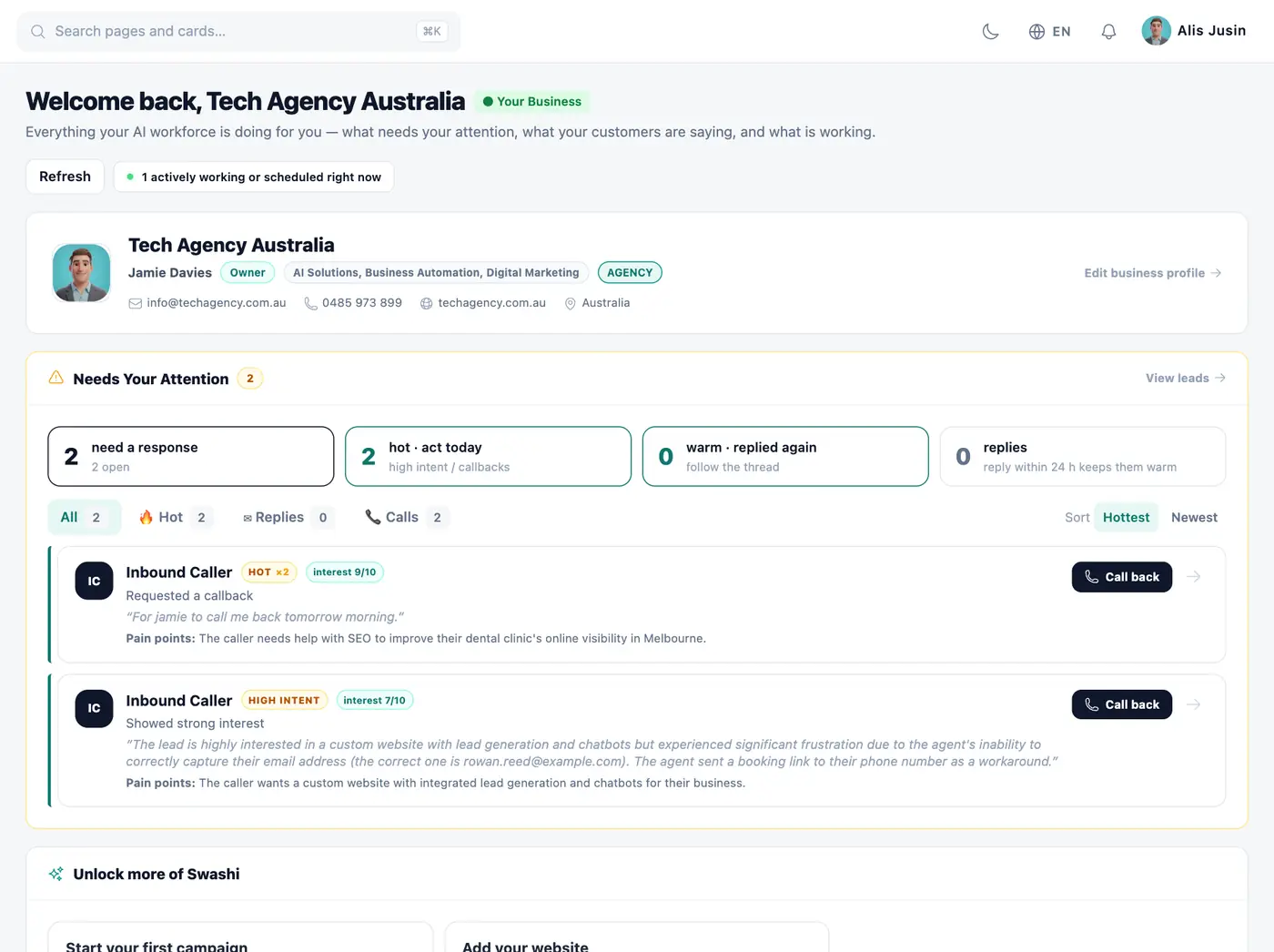
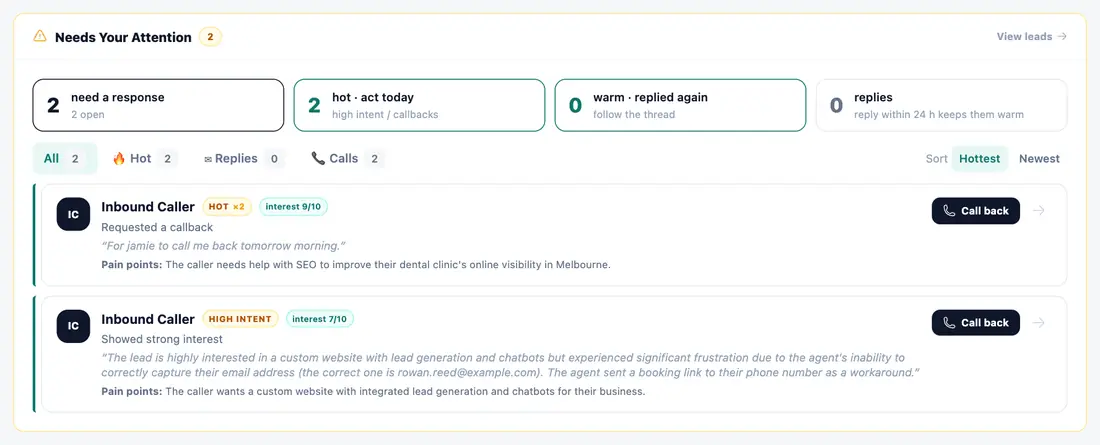
Needs your attention

Callback requests, hot callers, positive email replies and unanswered texts, one person per row and ranked by intent. Call back, reply by email or reply by text in one click.

app.swashi.io · Front desk
Needs your attention
02 · Team room

Your AI workforce

Lead, Outreach, Receptionist, Content, Social and SEO agents plus your Business Brain, each showing Working, Scheduled, Ready or Needs setup, calculated from your own data.

app.swashi.io · Team room
Your AI workforce
03 · Deal room

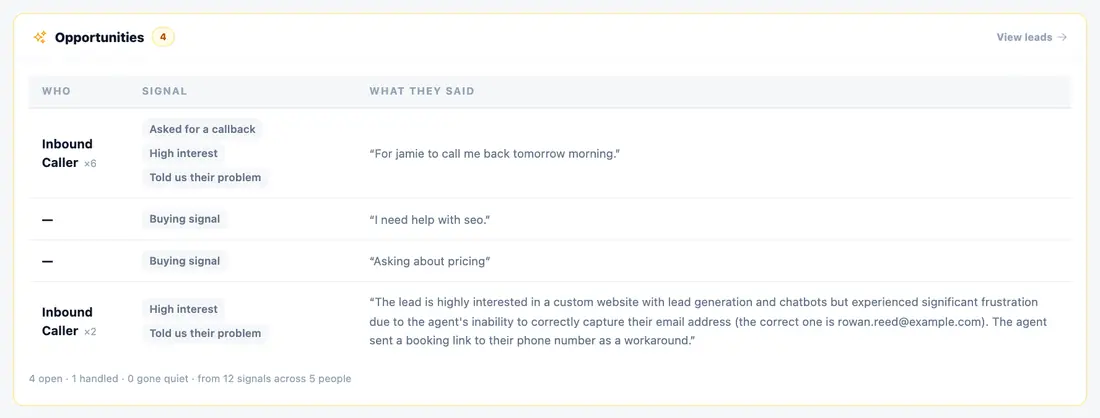
Opportunities, with the evidence

Buying signals in your customers' own words: asked for a callback, high interest, told us their problem, meeting booked. No black-box scores.

app.swashi.io · Deal room
Opportunities, with the evidence
04 · Reception

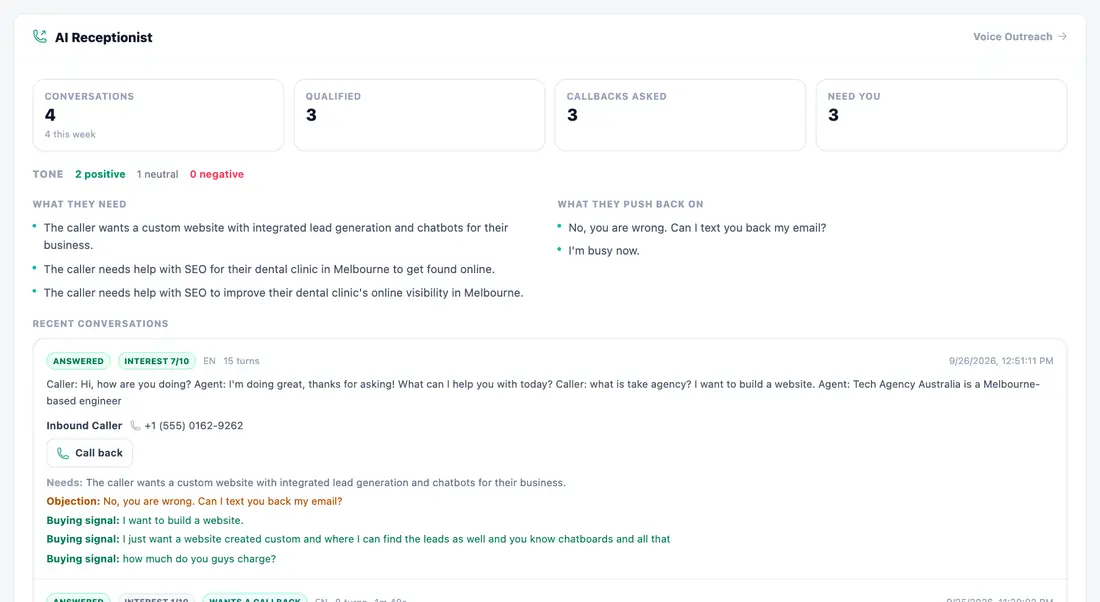
Every call, summarised

Conversations, qualified callers and callback requests, plus what callers need and what they push back on, taken from real calls.

app.swashi.io · Reception
Every call, summarised
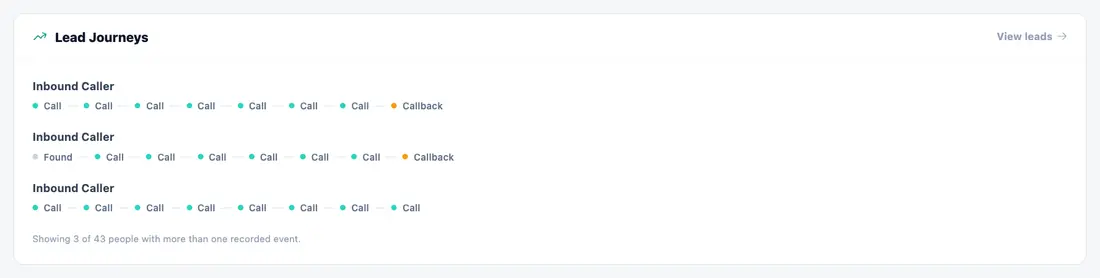
05 · Journey wall

Every lead's path

From found to emailed, replied, called and booked, with every touch in order.

app.swashi.io · Journey wall
Every lead's path
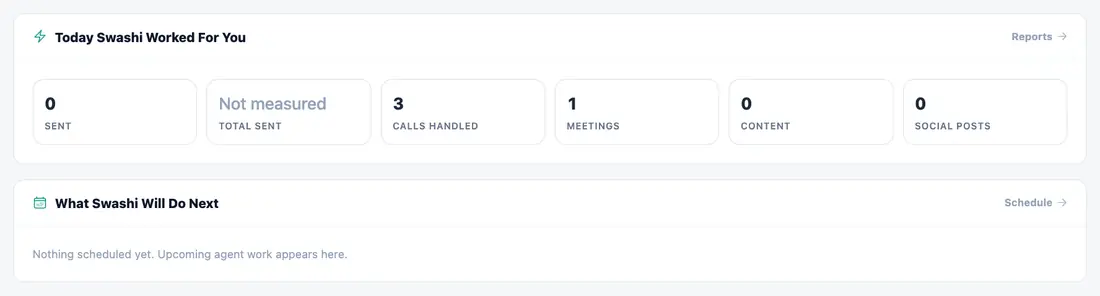
06 · Daily briefing

What Swashi did, and what it does next

Today's emails, calls, meetings and posts, and the tasks your agents have already scheduled.

app.swashi.io · Daily briefing
What Swashi did, and what it does next
Built on honesty

Evidence, not guesswork.

Swashi never invents a number. If something hasn't been measured yet, your office says so, and every opportunity shows exactly why it is there.

  • No black-box lead scores
  • Recommendations appear once your own results support them
  • Nothing is applied until you click Apply
How it works

Set it up once. Open it every day.

1

Train your Business Brain

Tell Swashi about your business once: services, prices, tone and ideal customer.

2

Switch on your AI employees

Leads, outreach, calls, content and social media start working for you.

3

Walk into your office

Every visit shows what happened, who needs you and what comes next.

See it for real

Walk through the real office

The same screens you will use, click by click, in your language.

Walk through the real office

The same screens you will use, click by click, in your language.

Interactive · Real app
120+
interactive steps · 18 languages
Real appEvery screen is the real Swashi app. Click the pulsing dot or use the arrow keys.

What an AI virtual office shows you, and how to use it every day

An AI virtual office is a single screen where you see what your AI employees did, who needs a reply from you, which leads show buying signals and what is scheduled next. In Swashi it is the Business page you land on after logging in, and it loads fresh information each time you open it, with a Refresh button for any moment in between.

  • One ranked list of callbacks, replies and unanswered texts
  • Call back, email or text in one click from the same page
  • Status for every AI employee, calculated from your own data
  • Opportunities listed with the evidence behind them, no lead scores
  • Fresh information each time you open it, plus a Refresh button
  • Recommendations only after your own results support them, applied on your click

Start with the front desk: who needs you

The first thing the office answers is the question every owner asks in the morning: who is waiting on me? Callback requests, interested callers, positive email replies and unanswered texts are gathered into one list, one person per row, ordered by how strongly they signalled intent. From each row you can call back, reply by email or reply by text without leaving the page. That removes the habit of checking a phone log, an inbox and a messaging app separately, and it makes it much harder for a warm conversation to slip through the cracks.

See your AI workforce at a glance

The team room lists each AI employee: Lead Agent, Outreach Agent, AI Receptionist, Content Agent, Social Agent and SEO Agent, plus your Business Brain. Each one shows whether it is Working, Scheduled, Ready or Needs setup, worked out from your own account data rather than a generic status light. If something needs setup, you see it straight away and can fix it before it costs you leads. The daily briefing sits alongside, summarising the emails, calls, meetings and posts from today and the tasks your Agents have already queued.

Evidence instead of black-box scores

Swashi does not give your leads a mystery score. Every opportunity shows the reason it is there, in plain terms: the person asked for a callback, showed high interest on a call, described their problem or booked a meeting. The journey wall shows each lead's path in order, from found to emailed, replied, called and booked. When something has not been measured yet, the office says so rather than showing a zero. You can trust what you see because you can check where every item came from.

Recommendations that wait for your own results

The office does not guess at advice on day one. Recommendations only appear once your account has enough of its own results, roughly twenty outreach sends that have received replies. Until then, it tells you it is still learning. When a recommendation does appear, it explains what it is based on, and nothing changes in your campaigns until you click Apply. That keeps you in charge of your business while still letting your AI team point out what is working.

Questions about the AI Virtual Office

An AI virtual office is one workspace where AI employees handle your leads, outreach, calls, content and social media, and report back in one place. In Swashi it is the Business page you see when you log in.

Who needs a response (callback requests, hot callers, email replies and texts), the status of each AI employee, opportunities with the evidence behind them, call summaries, lead journeys, and what Swashi did today and will do next.

Yes. Call a lead back, reply by email or reply to a text in one click, without leaving the page.

No. Instead of a black-box score, every opportunity lists its evidence: a callback request, high interest on a call, a positive reply or a booked meeting.

The office loads fresh information every time you open it, and the Refresh button updates it at any moment.

Once you have enough of your own results, around 20 outreach emails with replies. Until then your office tells you it is still learning, and nothing is applied without your click.

Lead Agent, Outreach Agent, AI Receptionist, Content Agent, Social Agent and SEO Agent, plus your Business Brain.

Your AI team is ready to start.

Start free and open your AI Virtual Office today.

Start Free — 7 DaysNo credit card · Cancel anytime